Trailing Stop
Trailing Stop Loss configuration to protect profits
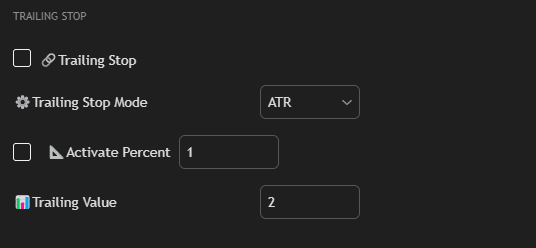
Settings
Check box Trailing Stop
Enable the function.
Trailing Stop Mode
Selection of calculation type for Trailing Stop:
- %: Calculation as percentage of maximum profit.
- ATR: Calculation based on ATR multiplier.
Check box Activate Percent
Enable trailing stop activation after reaching the specified profit percentage.
Activate Percent
Profit percentage for activation.
Trailing Value
Stop movement step.
Usage
Trailing Stop automatically moves Stop Loss following the price in the profitable direction, protecting your profit.
Example:
- Set Activate Percent to 1% — trailing stop will activate after reaching 1% profit
- Set Trailing Value to 0.5% — stop will move with a step of 0.5% from maximum profit
Tip: Use Trailing Stop together with Breakeven for maximum profit protection and loss minimization.